Follow this job aid to learn how to approve employee timesheets and requests in HR Links. Note: If you are a higher level supervisor who is approving a timesheet on behalf of a subordinate supervisor, refer to the 4th section of this guide. You won’t receive a notification when the timesheet is submitted for approval.
The following topics are covered.
Approve employee timesheets submitted by the employee
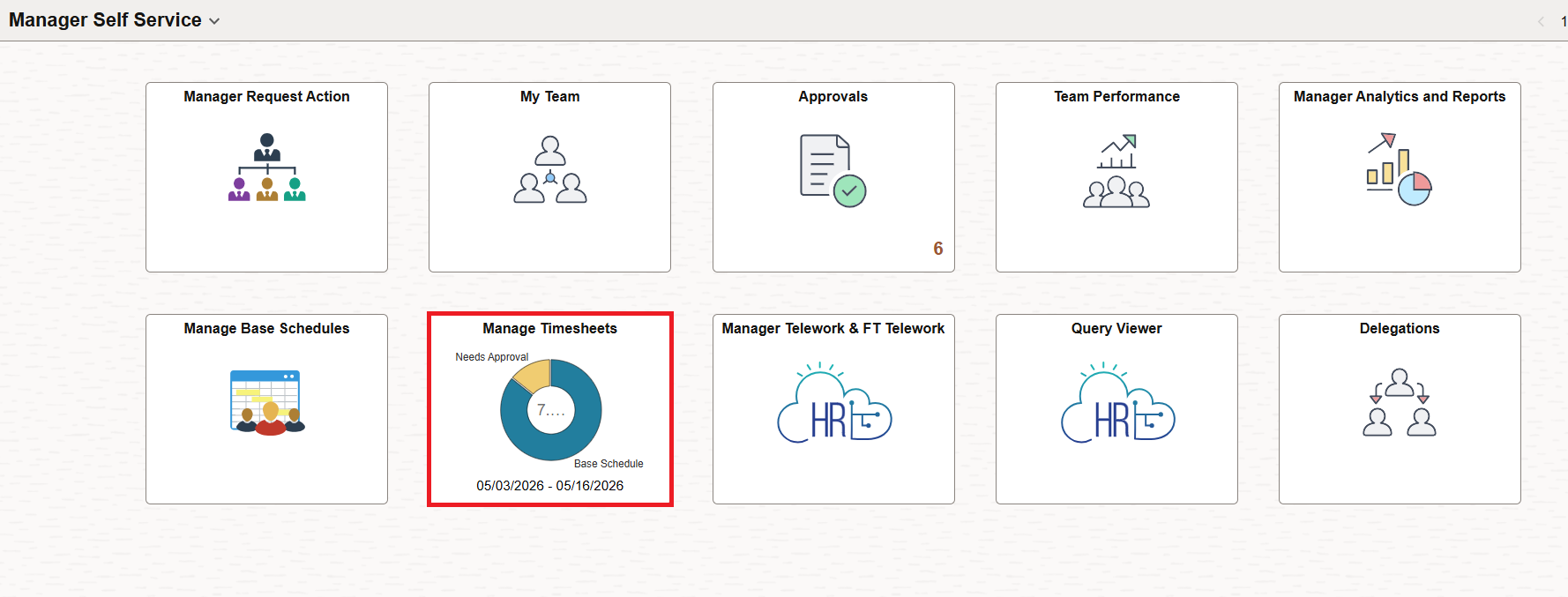
Timesheet approval status is indicated on the Manage Timesheet tile’s pie chart. Select the Manage Timesheets tile on the Manager Self Service homepage to view the list of employees.
To view only the employees who have timesheets that require approval, choose the Requires Approval checkbox. Employees who have hours to be approved will be displayed.
Select the employee’s timesheet you want to approve.
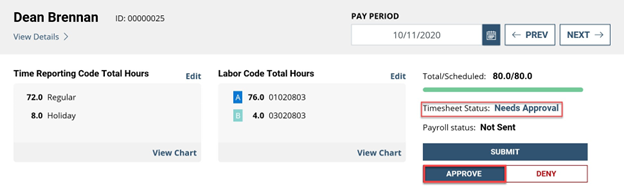
The timesheet status is Needs Approval. Click the Approve button.
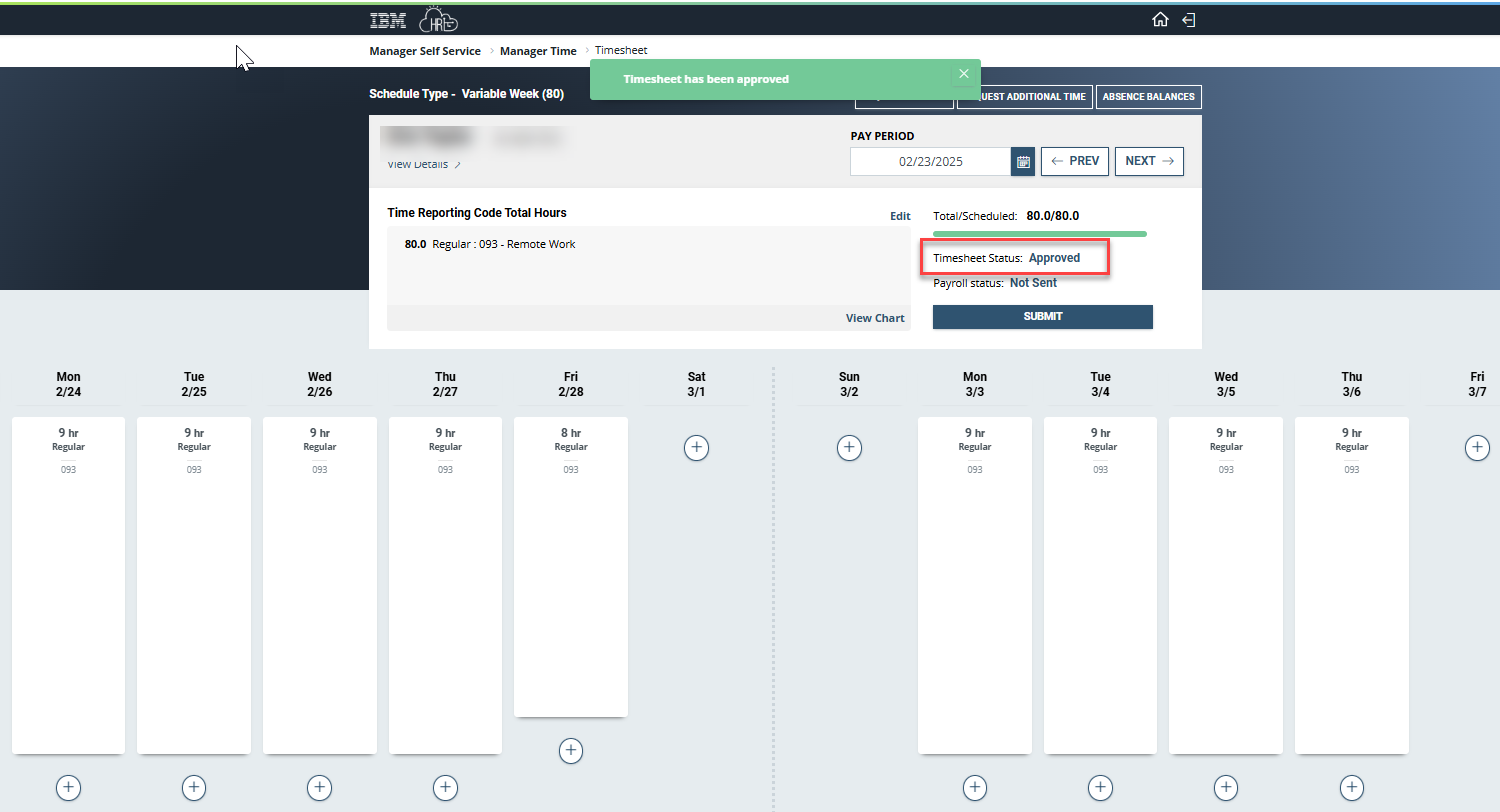
- The Timesheet Status will change to Approved.
Approve absence and additional time requests submitted by the employee
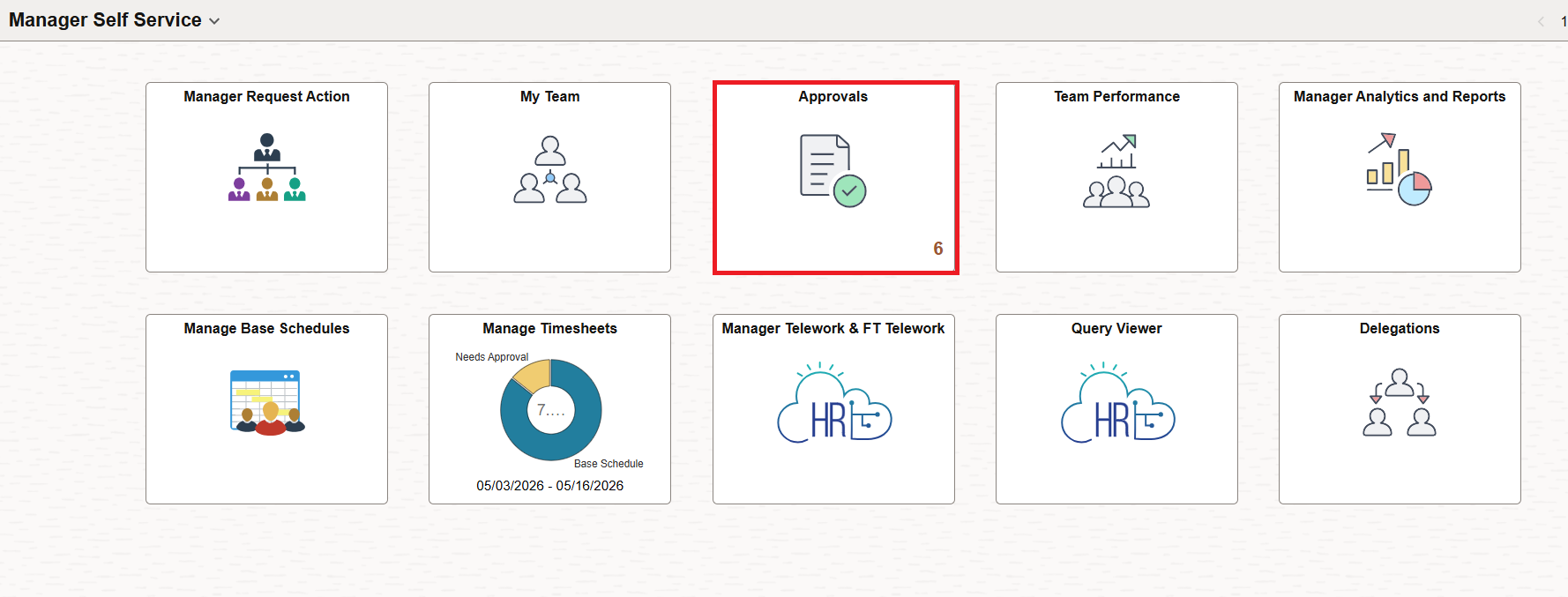
- The Approvals tile on the Manager Self Service homepage displays the number of approvals needed. Select the Approvals tile to display the items needing approval.
The Pending Approvals list is displayed. On the left side of the list, the types of documents needing approval is shown. Select a Request that you want to approve.
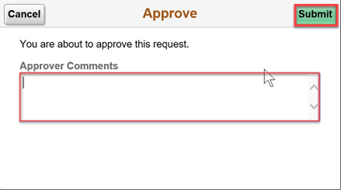
To approve the request, select the Approve button.
The Approve dialog is displayed. Enter optional Approver Comments. Select the Submit button.
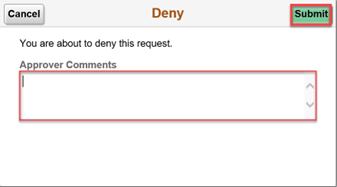
To deny the request, select the Deny button.
The Deny dialog is displayed. Enter optional Approver Comments. Select the Submit button.
To pushback the request, select the Pushback button.
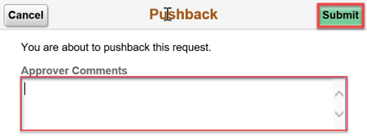
The Pushback dialog is displayed. Enter optional Approver Comments. Select the Submit button.
Approving timesheets and requests created by the supervisor on behalf of the employee
Timesheets created by the supervisor can be approved as the last step of creating them. See the Timesheets and Requests (supervisors) job aid for complete instructions. To approve the Timesheet, select the Approve button.
Requests are automatically approved when the supervisor submits them.
Approving timesheet submitted by the employee, approving as a higher level supervisor
In this scenario, you are approving a timesheet that an employee has created and submitted for review and approval and you are the higher level supervisor. You won’t receive a notification when the timesheet request is submitted.
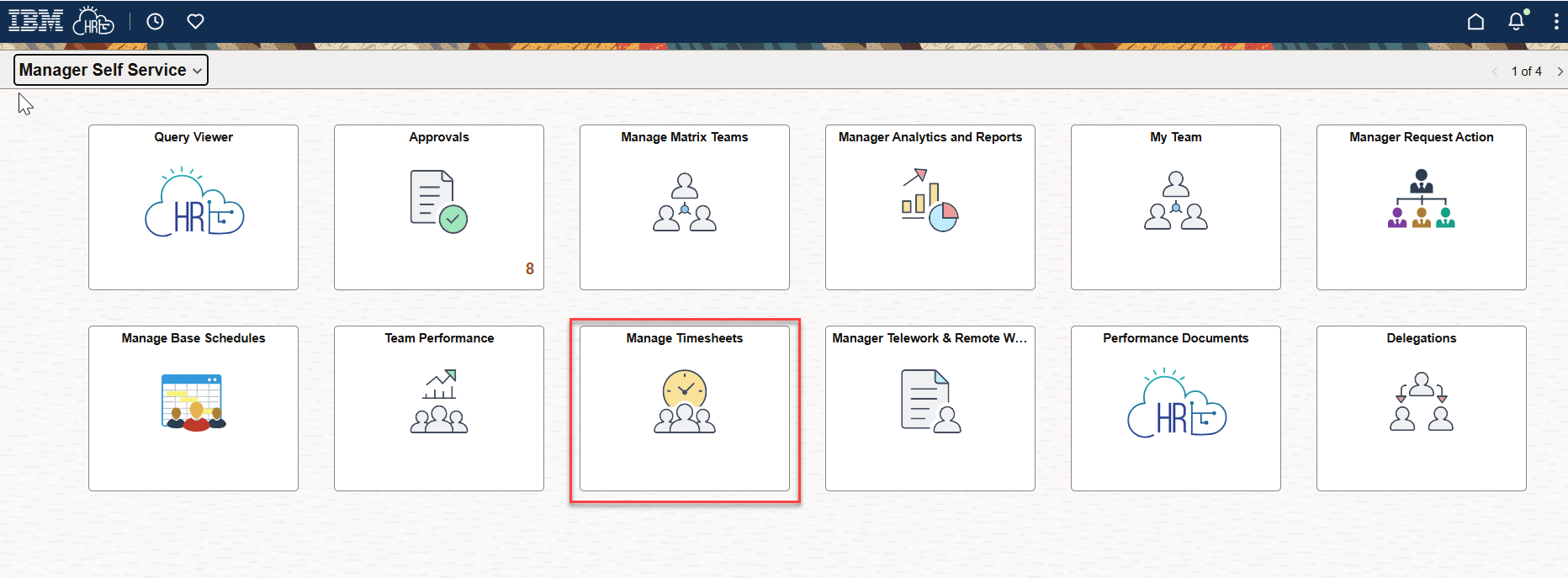
- From the Manager Self Service home page, click on the Manage Timesheets tile.
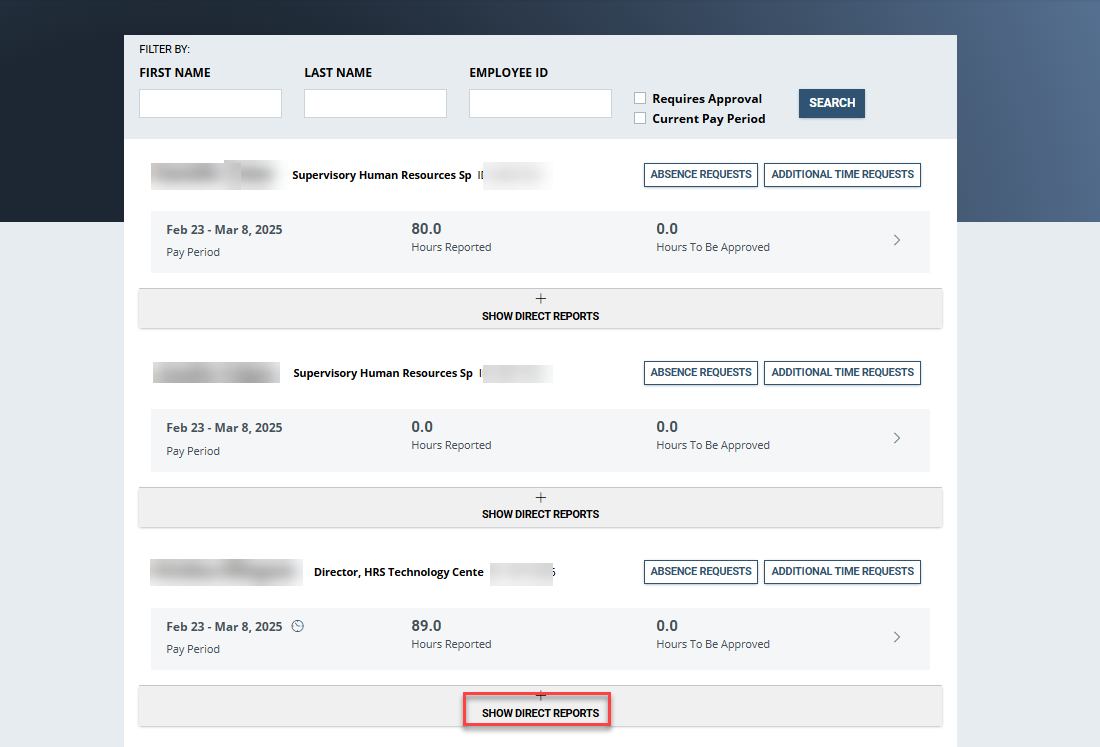
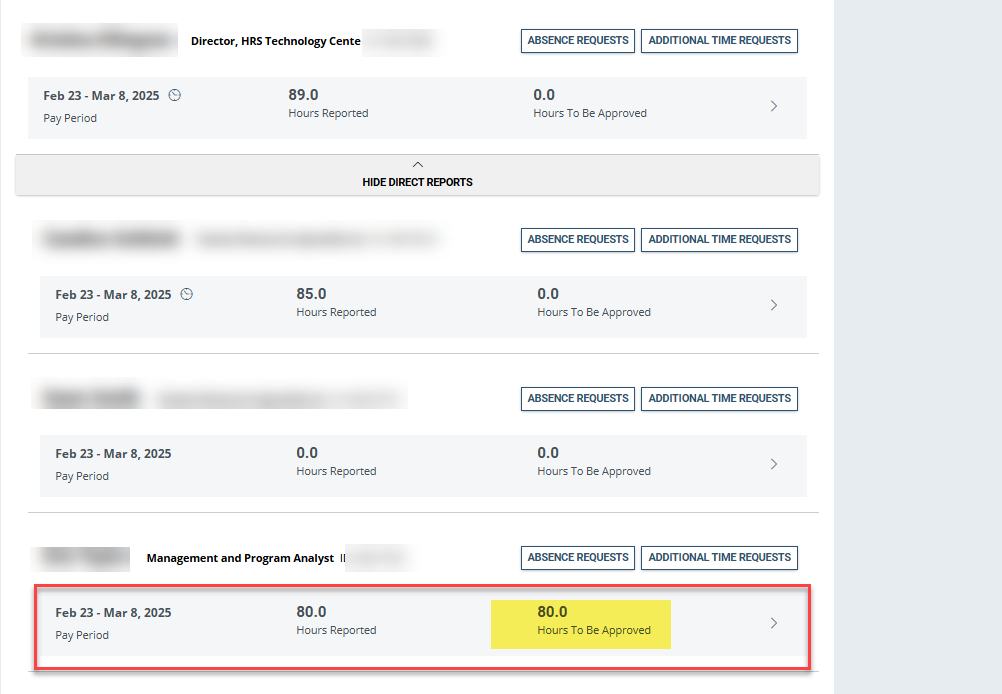
- Locate the supervisor of the team that has a timesheet needing approval, then select Show Direct Reports. If the timesheet requiring approval is more than one supervisory level below you, you can continue to “drill down” to the employee by selecting Show Direct Reports under the next level supervisor.
- Select employee’s timesheet for approval.
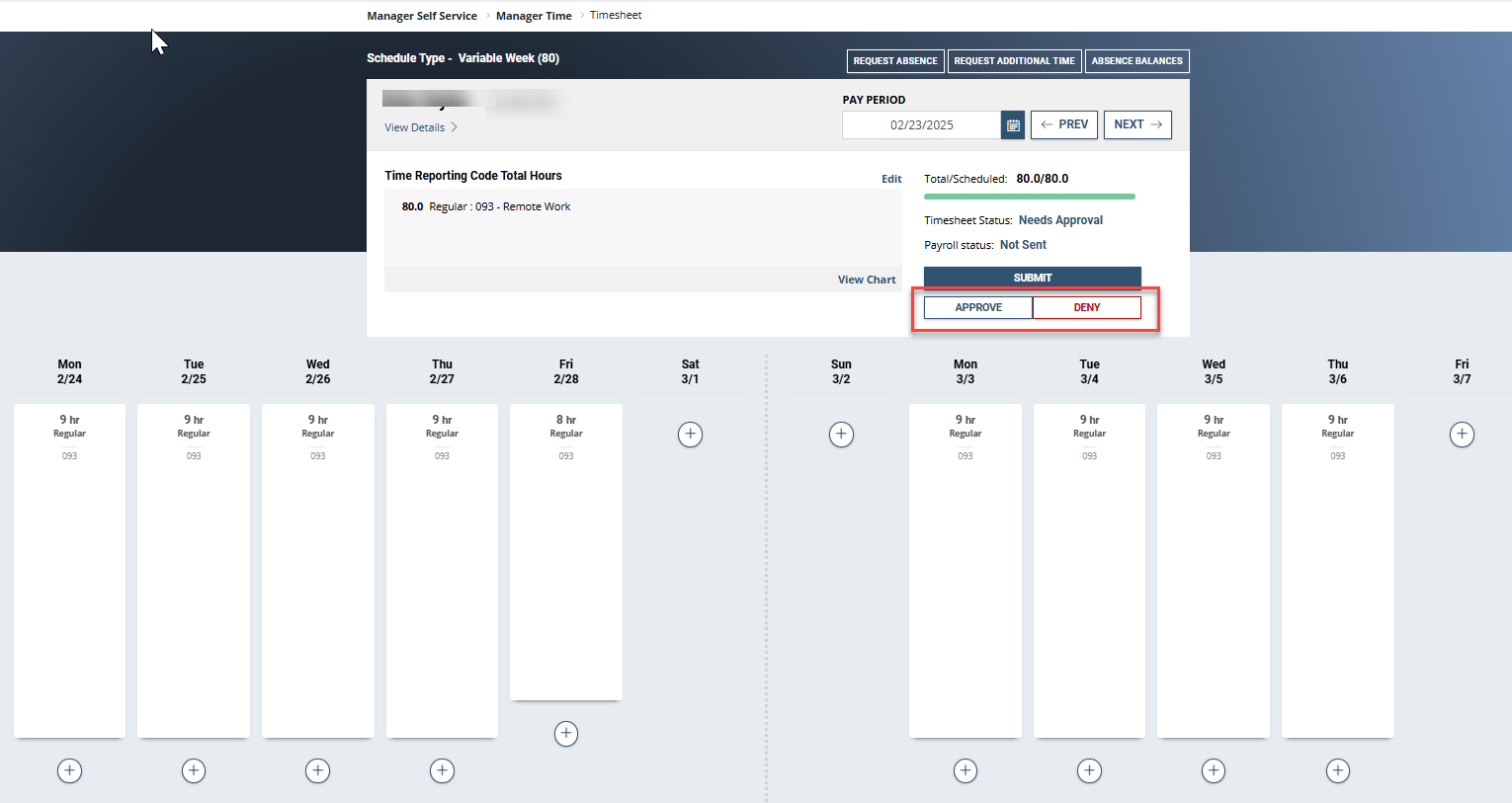
- Approve or Deny the employee’s timesheet.
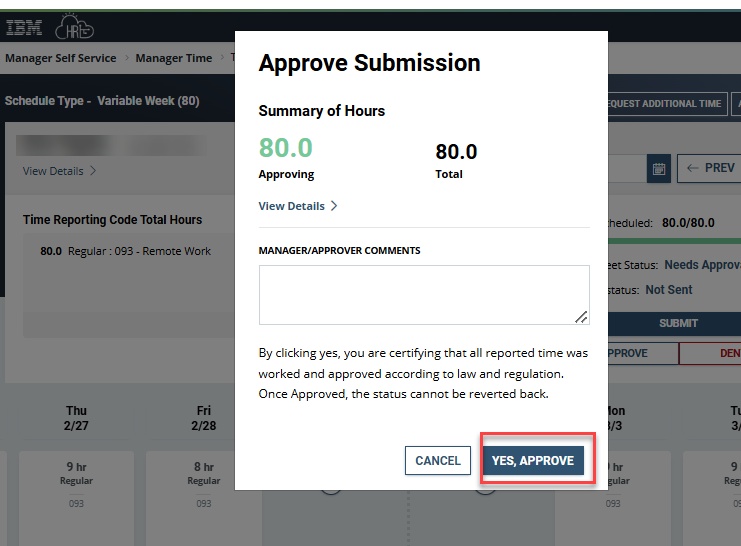
- On the Approve Submission review the timesheet hours and select Yes, Approve.
- The employee’s timesheet has been approved.


 U.S. General Services Administration