Supervisors can run a report to find which timesheets still need to be approved and sent to be processed. The best time to run this report is first thing Tuesday or Wednesday morning of timesheet week. Additionally, supervisors can review an exceptions report, which identifies the exceptions that exist and need to be fixed.
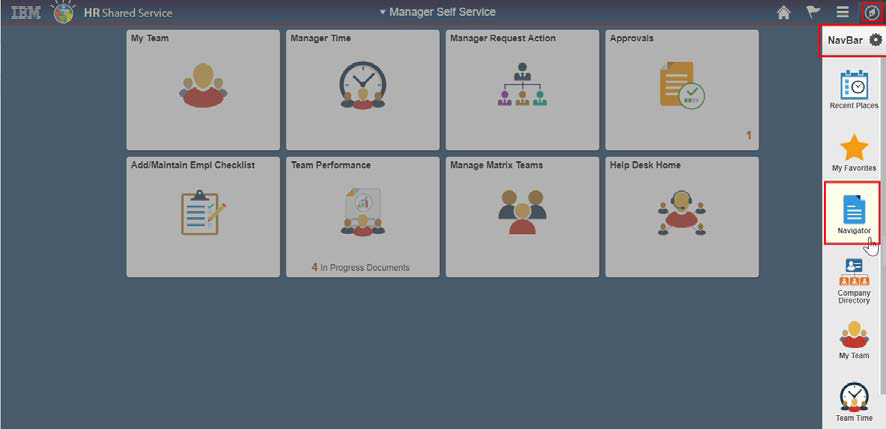
From the Manager Self Service home page, select Navigator from the NavBar.
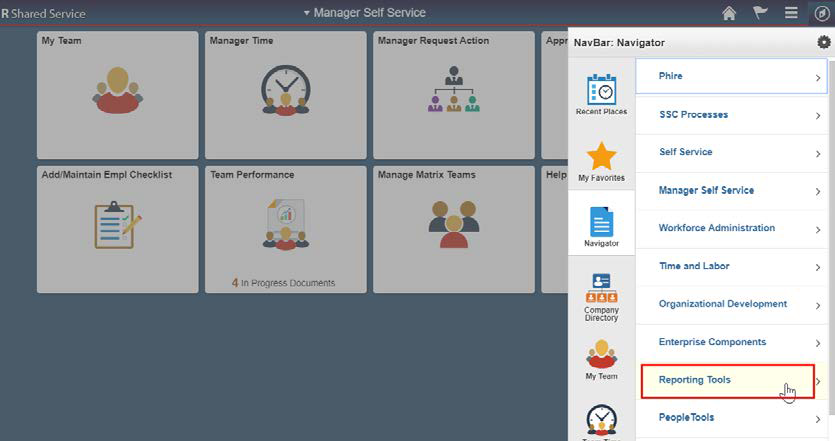
Choose Reporting Tools from the Navigator.
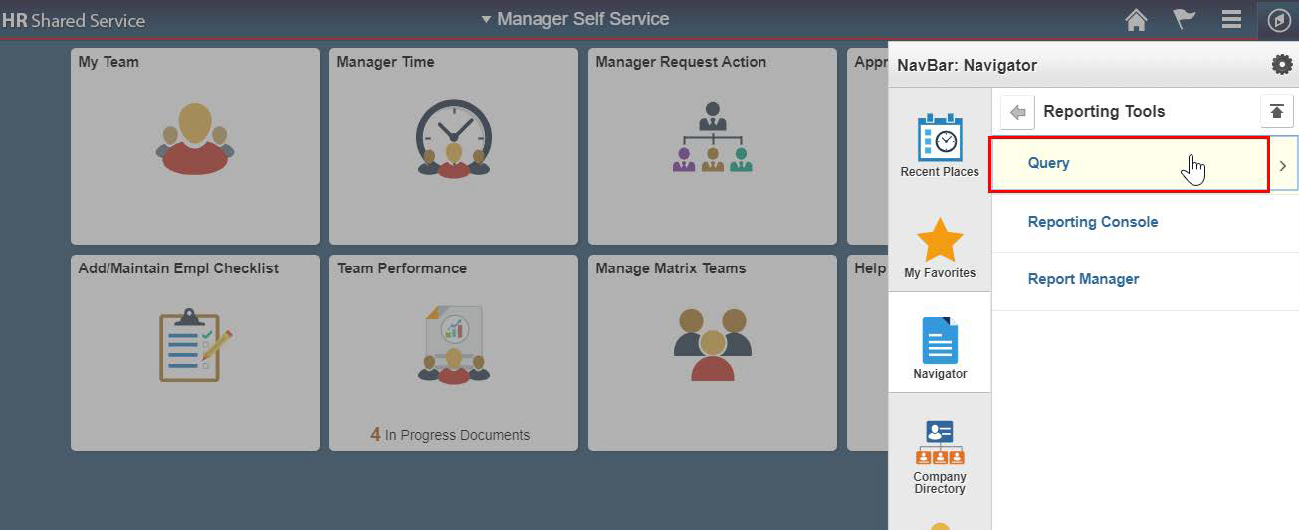
Next, choose Query.
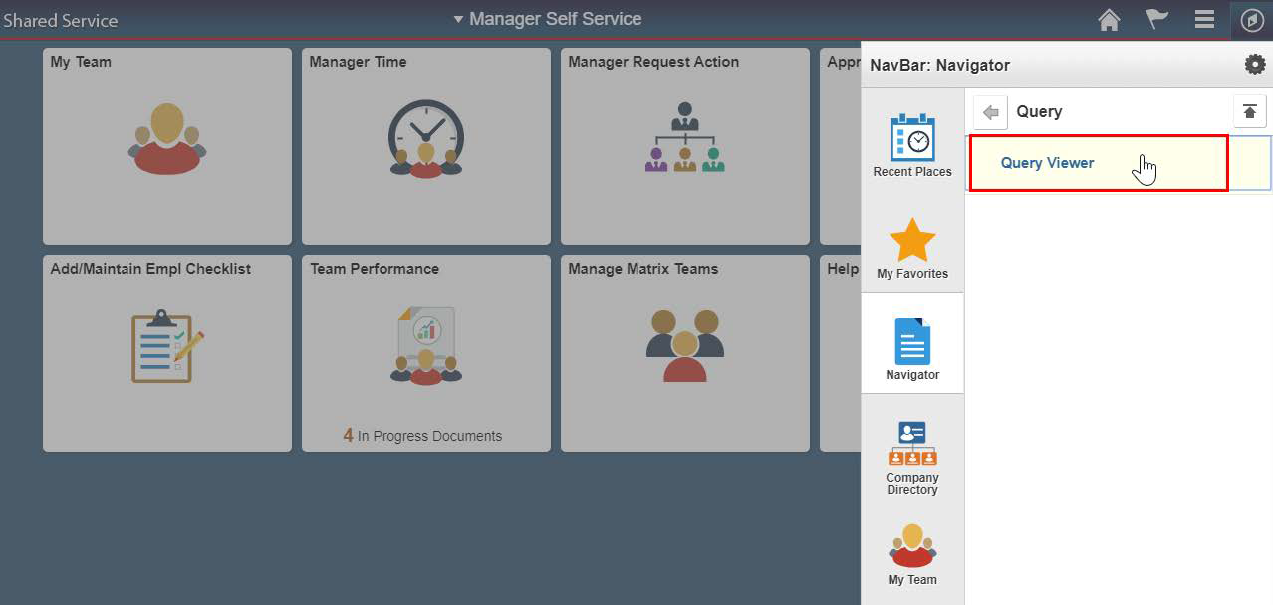
Finally, choose the Query Viewer option.
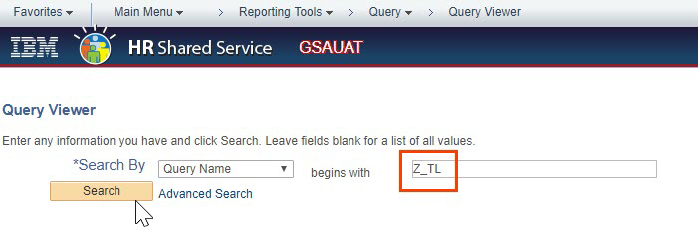
From the Query Viewer page, make sure Query Name is listed in the Search By field. Enter Z_TL in the begins with field, and select the Search button.
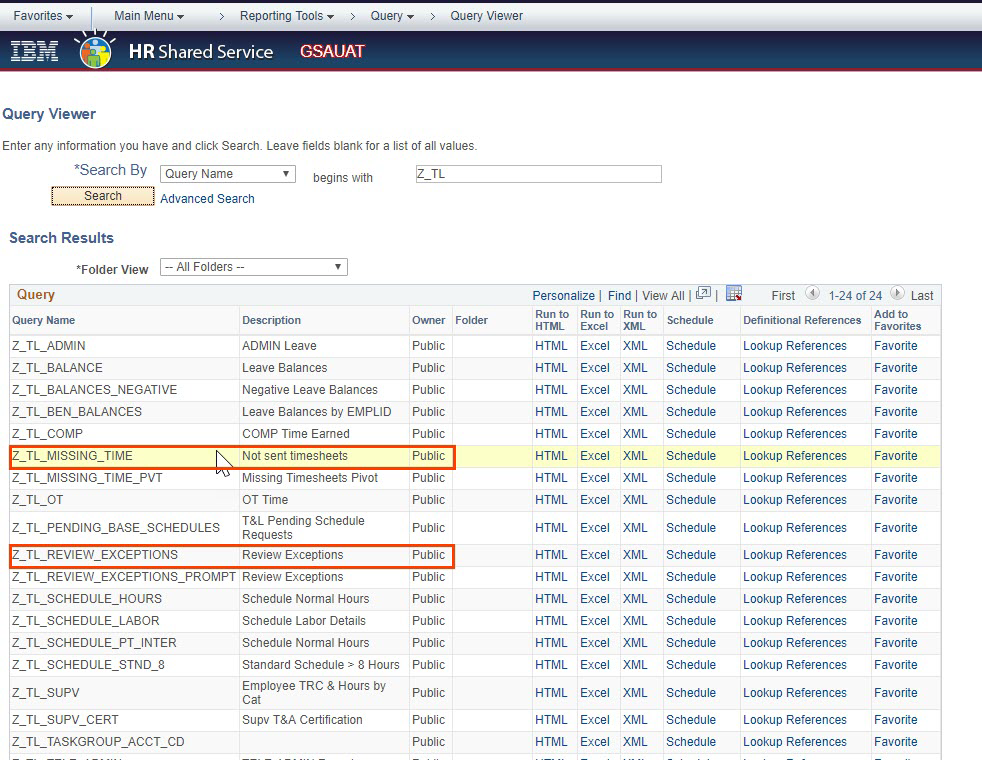
Two helpful queries available are Z_TL_MISSING_TIME, which identifies which timesheets still need to be approved and sent to be processed, and Z_TL_REVIEW_EXCEPTIONS, which identifies what exceptions need to be reviewed.


 U.S. General Services Administration