Employees called to active duty, active duty training, and inactive duty training must furnish their supervisor with a copy of their military orders or a statement from their commanding officer verifying their attendance at military duty. Once military orders are provided to the supervisor, the supervisor is required to initiate the first military leave request on behalf of the employee.
Submit and approve military leave request in HR Links
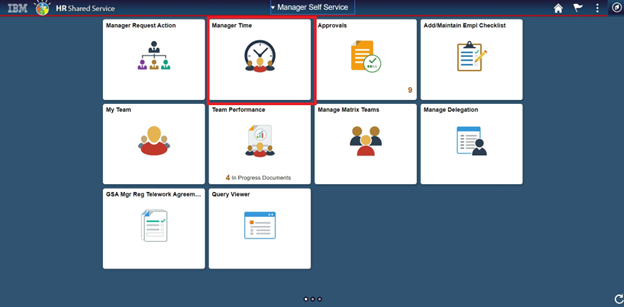
From the Manager Self Service homepage, go to Manager Time tile.
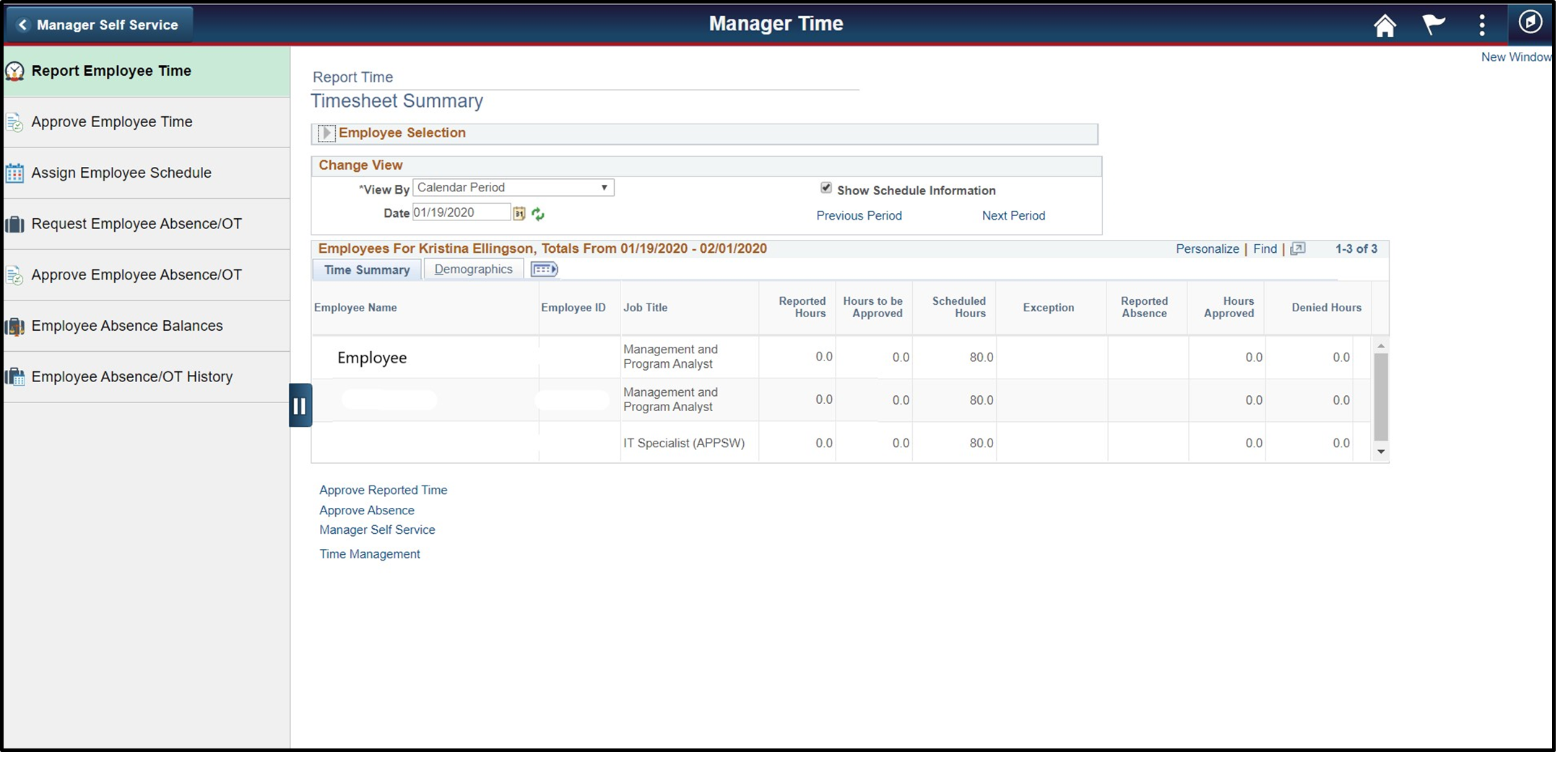
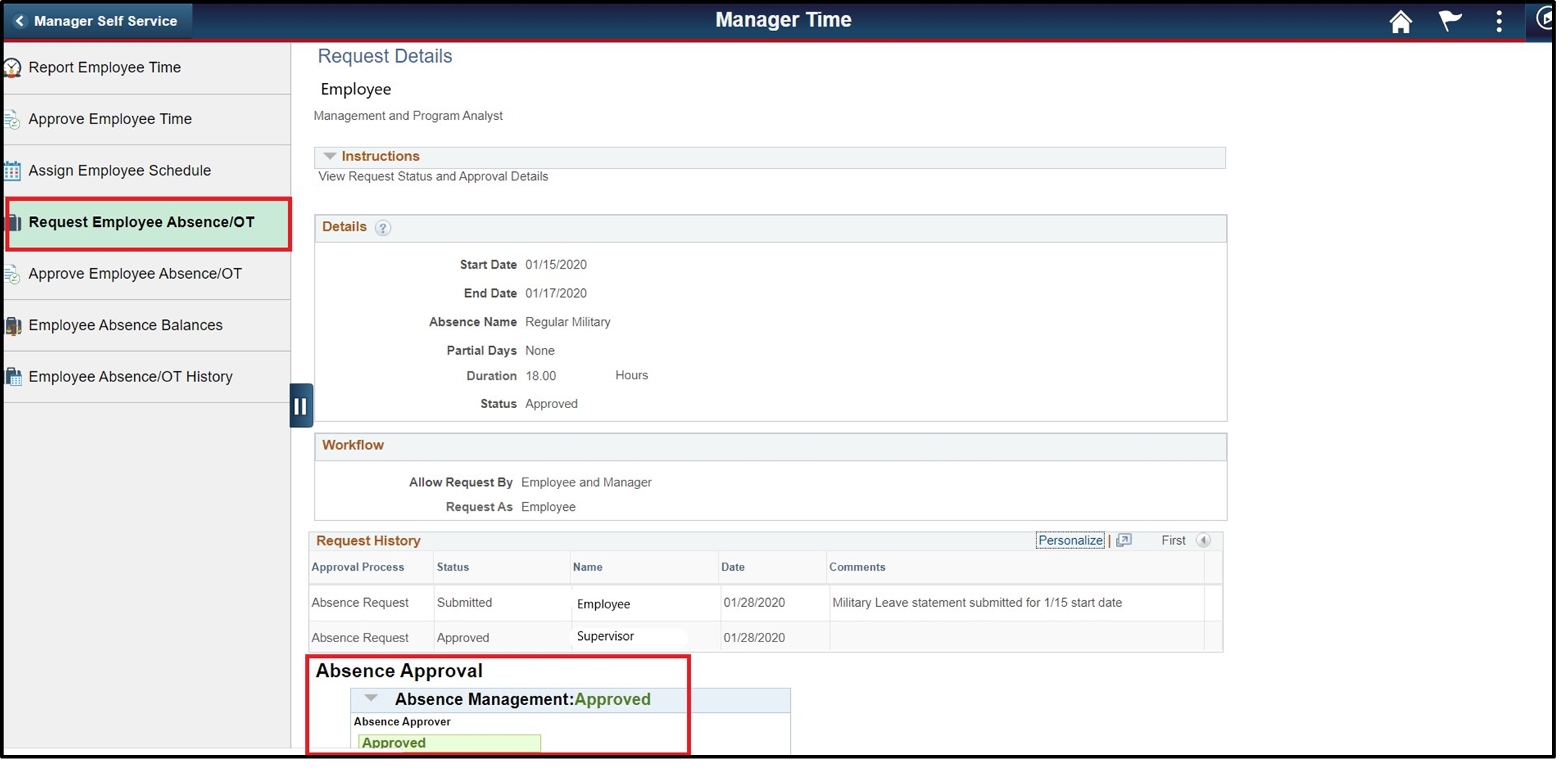
Go to Request Employee Absence/OT and Select Employee to enter military leave request for and click Select.
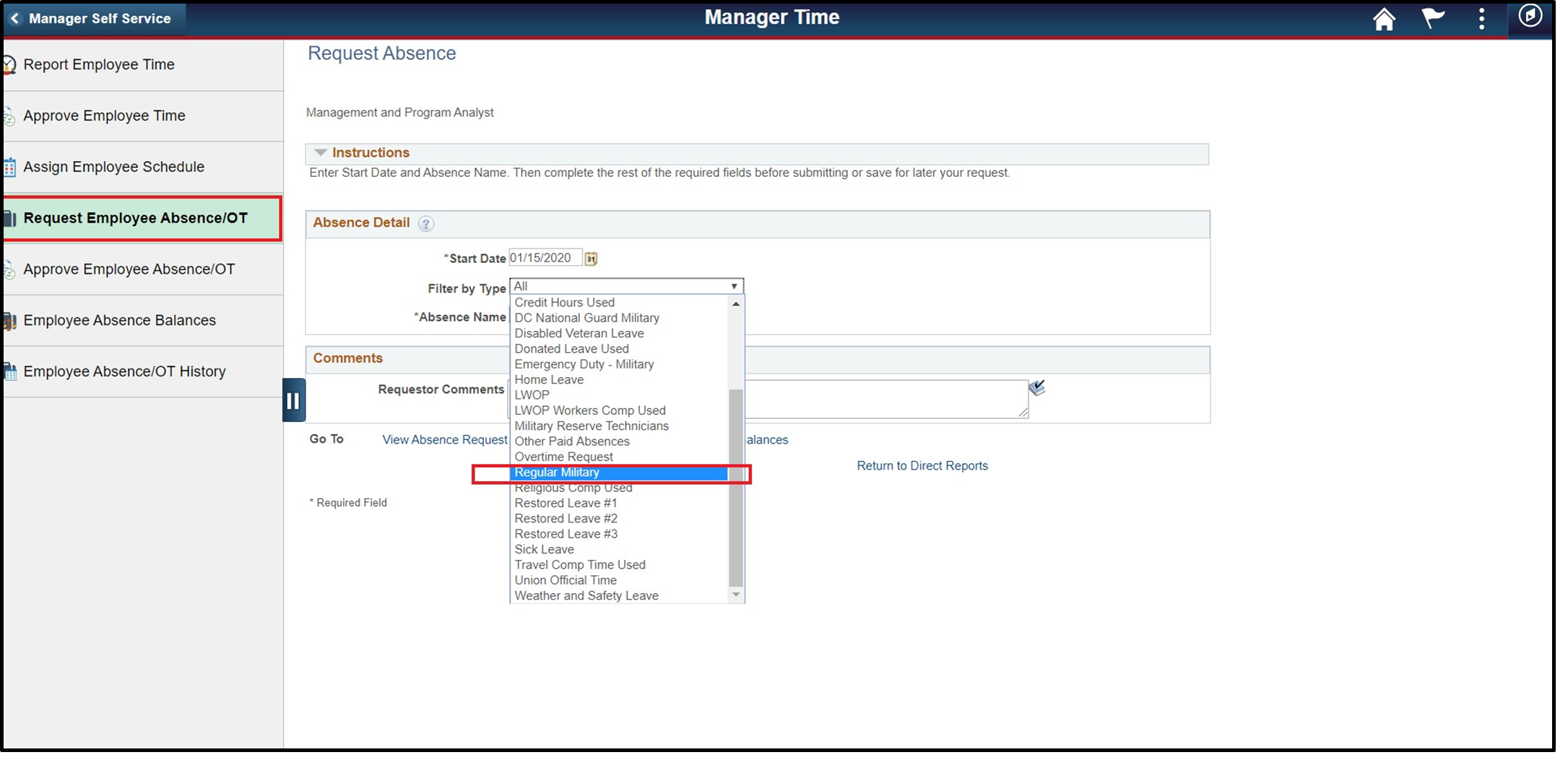
Select Start Date for Military Leave and Select Filter by Type as Regular Military.
In the Absence Name field, select Regular Military leave hours, then click Submit.
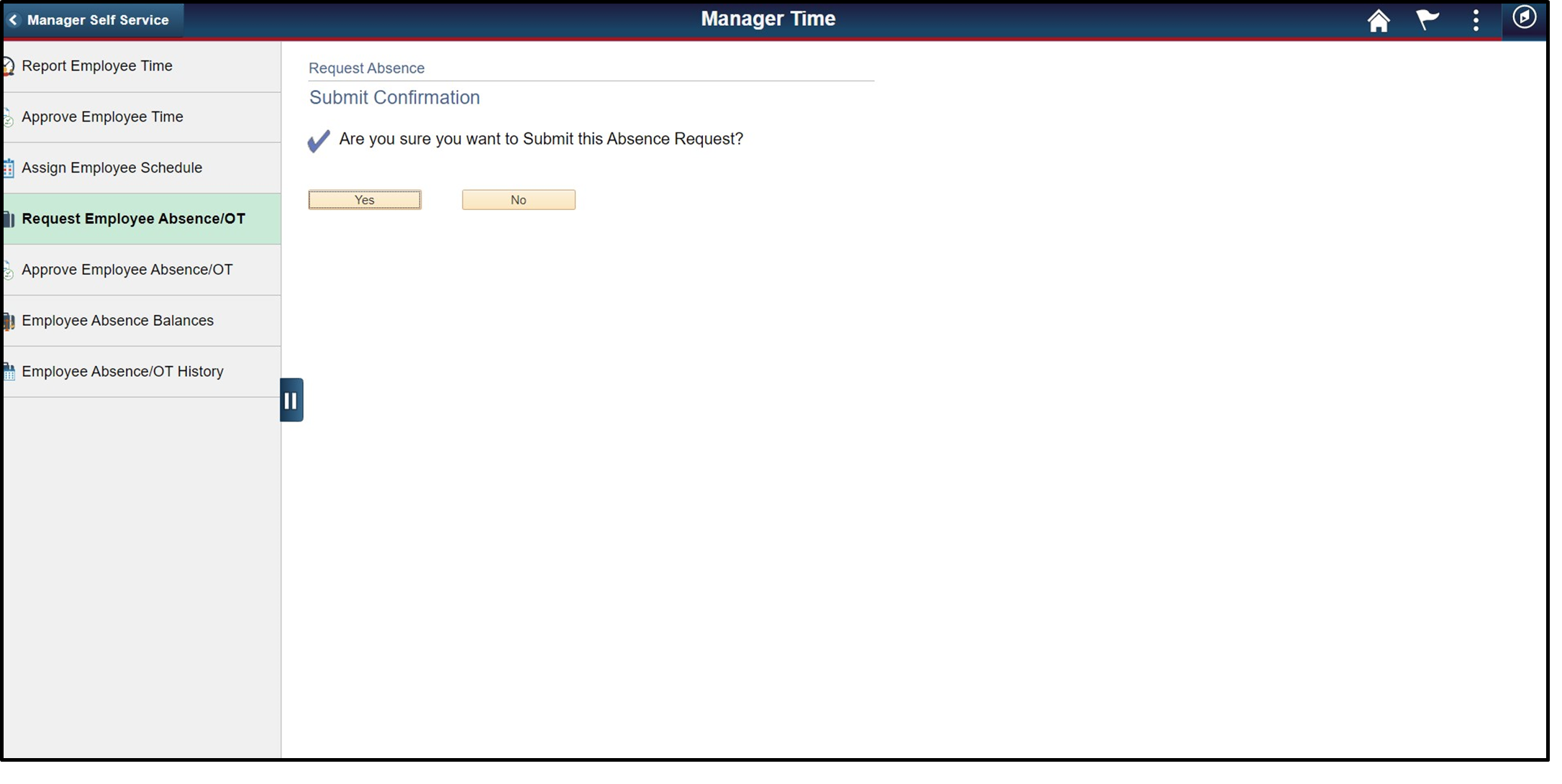
Select Yes on the Submit Confirmation page.
A Request Absence Approve Confirmation page will display. Click OK.
An Absence Approval page will display.
Submit and approve timesheet with military leave request in HR Links
Note: If employee is not already out on military leave they may enter their own timesheet for approval after the initial military leave request is input by their supervisor.
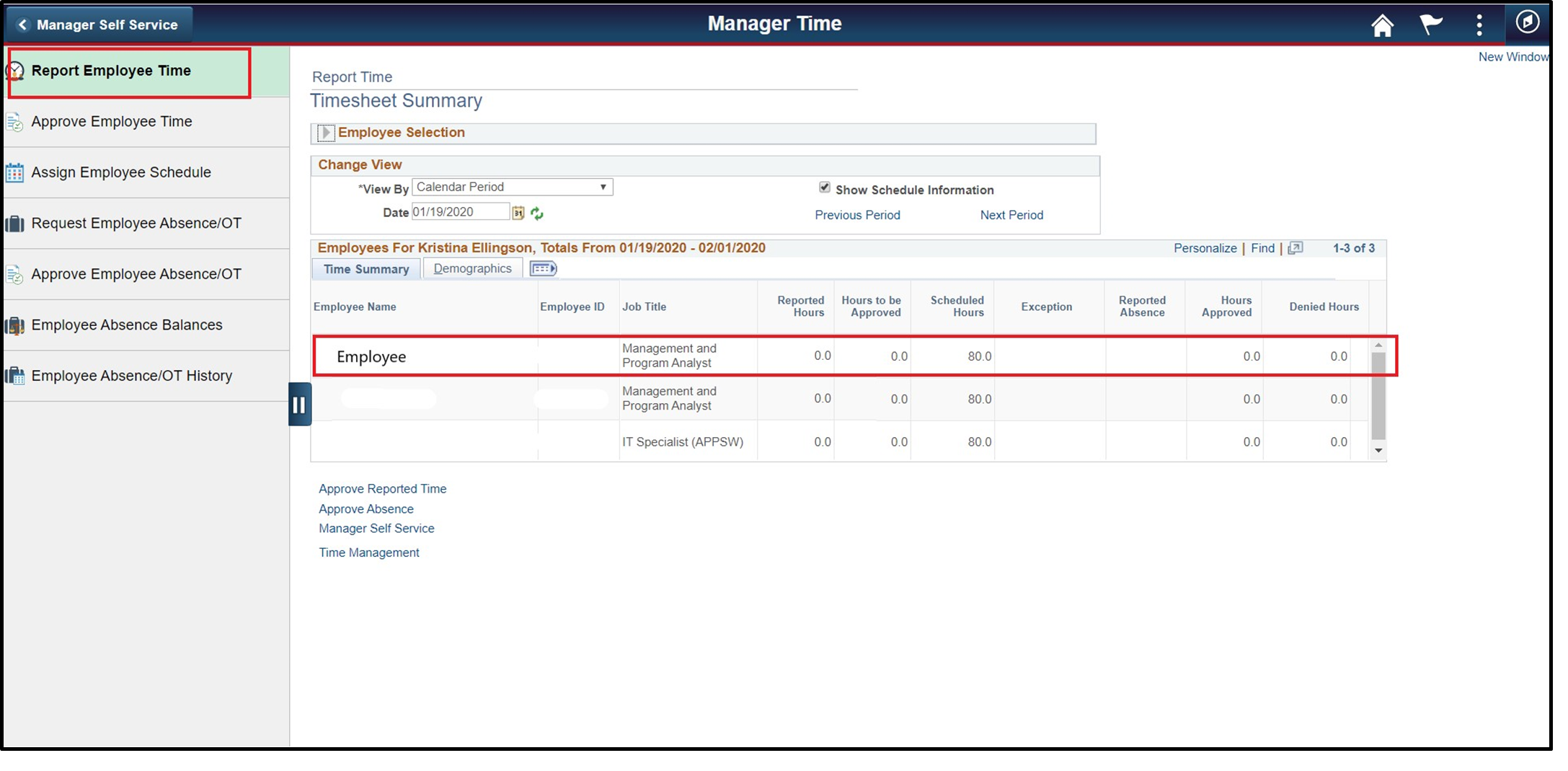
Go back to the Employee Report Time tab and select the Employee’s name on the Timesheet Summary page.
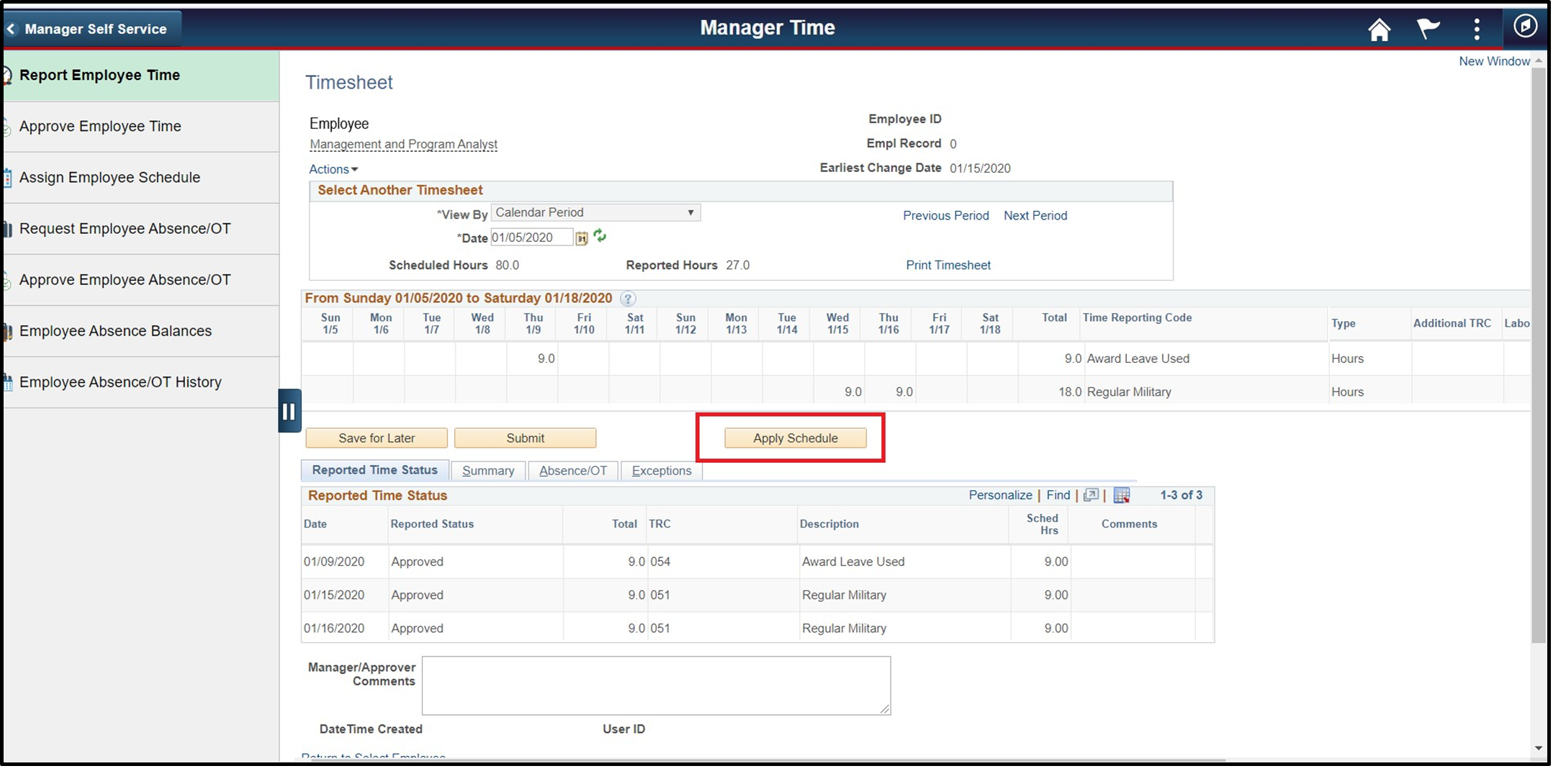
Select Apply Schedule on the Employee’s Timesheet.
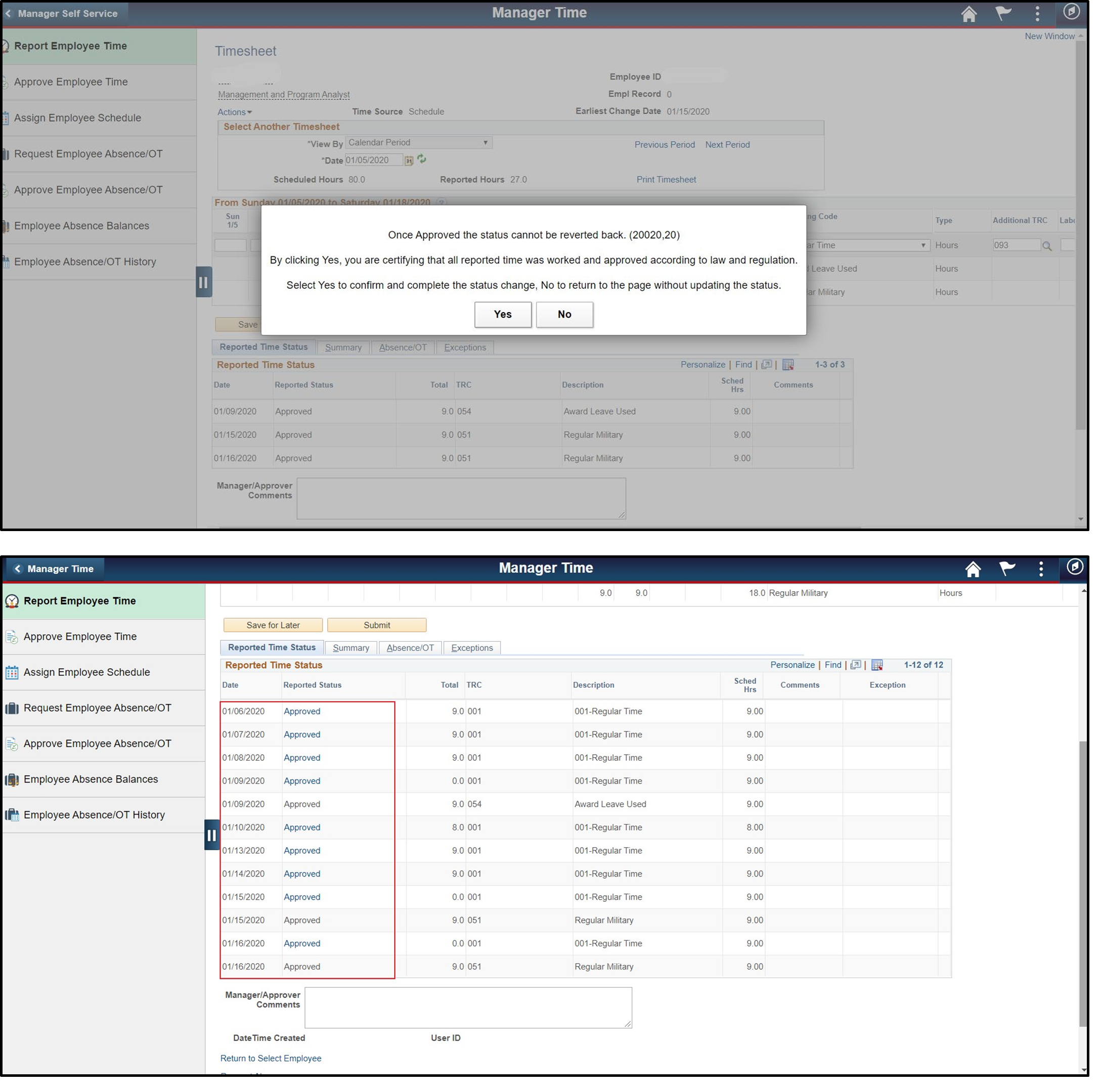
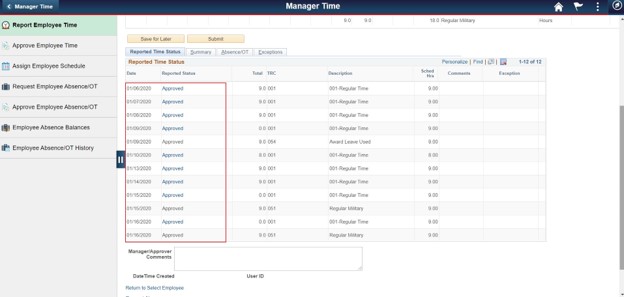
Adjust timesheet hours to account for leave (in this example award leave and military leave) and Submit timesheet.
Select Yes on the warning message for timesheet approval. The timesheet will be approved.
Military leave balance in HR Links
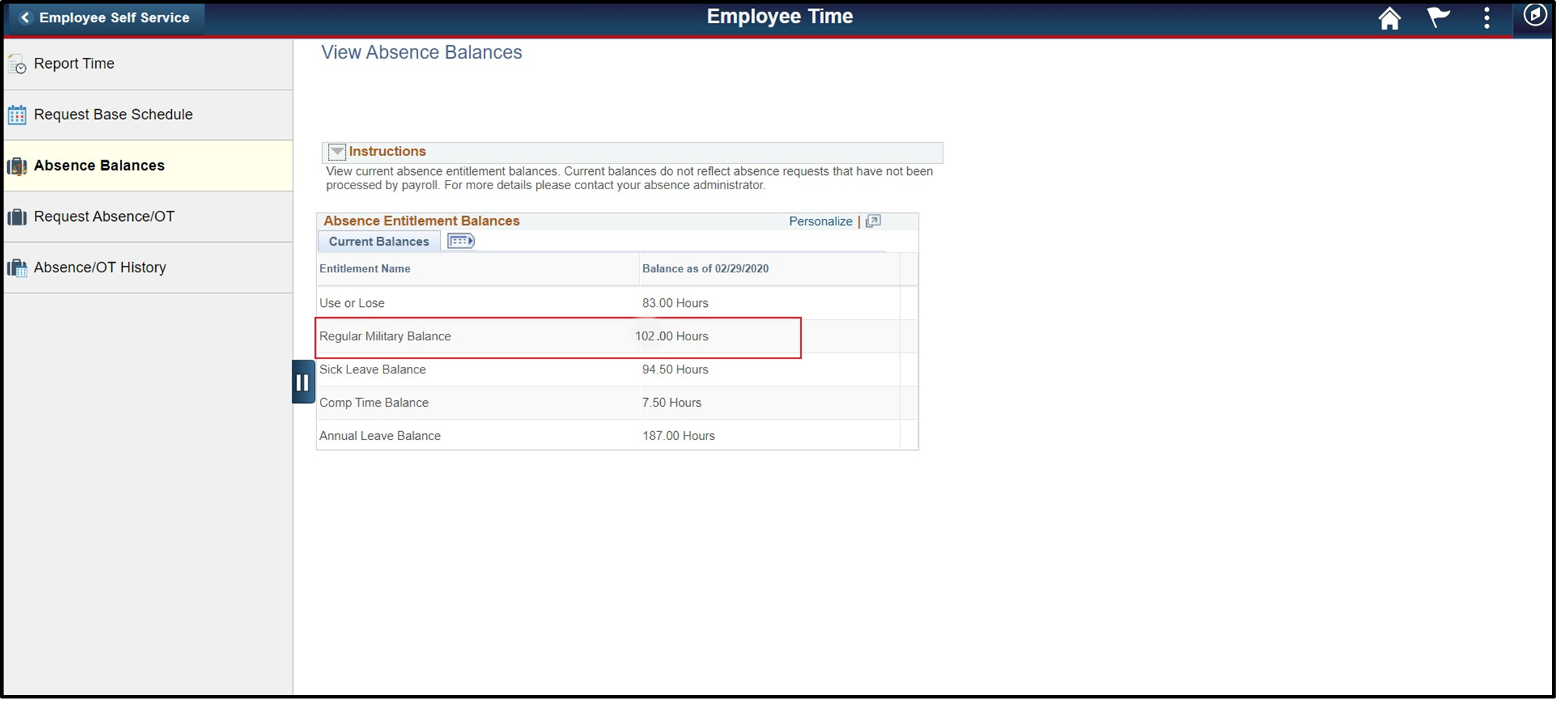
Once the timesheet pay period has ended and payroll has processed the timesheets, the employee can view their Military Leave balance within their HR Links leave balance. The employee can also now request Military leave on their timesheet until the 120 hour maximum per fiscal year is exhausted.
From the Employee Self Service homepage, go to Employee Time tile.
Go to the Absence Balances tab within Employee Time. The employee’s Military Leave Balance can be viewed. In our example the employee took 18 hours of military leave so the Military leave Balance of 102 hours is reflecting 120 total hours (fiscal year total per policy) minus 18 hours taken.


 U.S. General Services Administration